WordPress powers more than 43% of the web, but like any CMS, it comes with its own set of errors and bugs. Whether you’re a beginner, developer, or agency owner, WordPress issues can slow down your workflow, affect website performance, or even break your entire site.
This guide covers every major WordPress error, why it happens, and how to fix it—making it the most comprehensive WordPress troubleshooting resource you’ll ever need.
1. WordPress Installation & Login Errors
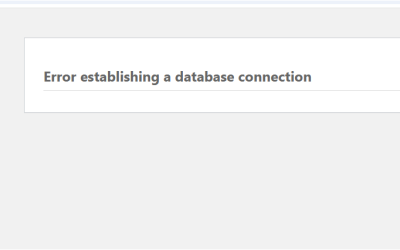
🔹 1. Error Establishing a Database Connection
This appears when WordPress can’t connect to your database.
Causes:
- Wrong database username/password
- Corrupted wp-config.php
- Database server down
Fix:
Update DB credentials, repair database via phpMyAdmin, or recreate wp-config.
🔹 2. White Screen of Death
Your site loads a blank white page.
Causes:
- Fatal PHP error
- Broken plugins/themes
- Memory limit exhaustion
Fix:
Disable plugins, switch theme, increase memory to 256M.
🔹 3. Login Page Refreshing / Looping
You enter login details, but the page reloads.
Causes:
- Corrupted .htaccess
- Cookie issues
- Wrong WordPress URL
Fix:
Reset .htaccess, clear browser cookies, or update WP_HOME and WP_SITEURL.
🔹 4. Too Many Redirects
Your site forces repeated redirects until browser blocks it.
Causes:
- HTTP/HTTPS conflict
- Cache plugin misconfiguration
- Wrong site URL
Fix:
Fix SSL settings, disable cache plugin, update URLs.
✅ 2. Theme & Plugin Errors
🔹 5. Plugin Conflict
Over 60% of WordPress errors come from plugins.
Signs:
- Layout breaks after updating plugin
- Admin not loading
- JS/CSS not loading
Fix:
Deactivate plugins one by one.
🔹 6. Theme Conflict
Themes often override core functions.
Causes:
- Outdated theme
- Bad code in functions.php
- Missing template parts
Fix:
Switch to a default theme (Twenty Twenty-Five).
🔹 7. Broken Layout After Update
Your spacing, header, footer, or styling breaks.
Causes:
- Removed CSS files
- Deleted Elementor/Builder styles
Fix:
Regenerate CSS, clear cache, restore theme files.
🔹 8. functions.php Syntax Error
A simple typo can break the whole site.
Common error:
Parse error: syntax error, unexpected ')'
Fix:
Fix the code using cPanel/File Manager or FTP.
✅ 3. WordPress Admin Dashboard Errors
🔹 9. Blank Admin Dashboard
Your admin loads without styles or content.
Causes:
- Plugin conflict
- Missing CSS/JS in
/wp-admin/ - Firewall or ModSecurity block
Fix:
Disable plugins, whitelist admin scripts, clear browser cache.
🔹 10. 403 Forbidden Error
You lose access to wp-admin or certain pages.
Causes:
- Incorrect permissions
- ModSecurity rules
- IP blocking
Fix:
Set folders to 755 and files to 644, adjust .htaccess.
🔹 11. 404 Errors on Custom Post Types
Posts exist, but show 404 pages.
Cause:
Permalink issue.
Fix:
Go to Settings → Permalinks → Save (flush rewrite rules).
✅ 4. Media & Upload Errors
🔹 12. Image Upload HTTP Error
Most common WordPress upload bug.
Causes:
- Large image size
- Wrong permissions
- Missing PHP GD library
Fix:
Increase upload size, fix permissions, enable GD.
🔹 13. File Type Not Permitted
WordPress blocks some file types.
Fix:
Add allowed MIME types in wp-config or use a plugin.
🔹 14. Thumbnails Not Generating
Images upload but no thumbnails.
Causes:
- GD library disabled
- Wrong image dimensions
Fix:
Install “Regenerate Thumbnails”.
✅ 5. Page & Post Errors
🔹 15. 404 Page Not Found
Existing posts/pages show 404 error.
Fix:
Reset permalinks, check .htaccess, and disable conflicting plugins.
🔹 16. Gutenberg Editor Not Working
Editor loads partially or not at all.
Causes:
- JS conflicts
- Disabled REST API
Fix:
Enable REST API, disable conflicting blocks.
🔹 17. Classic Editor Not Loading
Usually caused by plugin conflict.
✅ 6. WordPress Email & SMTP Errors
🔹 18. WordPress Not Sending Emails
Default PHP mail is unreliable.
Fix:
Use SMTP plugin (WP Mail SMTP), configure with Gmail, SendGrid, or your hosting.
🔹 19. Contact Form 7 Not Submitting
Contact forms often fail due to:
- reCAPTCHA issues
- AJAX conflict
- Missing SMTP setup
Fix:
Enable SMTP + check browser console errors.
✅ 7. Security Errors & Malware Issues
🔹 20. Mixed Content (HTTPS/HTTP) Warning
Your site loads insecure resources.
Fix:
Force HTTPS, update image URLs, use Really Simple SSL.
🔹 21. wp-login.php Brute Force Attack
Bots hammer your login page.
Fix:
Change login URL, use 2FA, limit logins.
🔹 22. Malware Redirect / Hacked Site
Your site redirects to spam sites.
Fix:
Scan with Wordfence or Sucuri, clean infected files.
✅ 8. Hosting & Server Errors
🔹 23. 500 Internal Server Error
Generic server error.
Fix:
Reset .htaccess, check plugins/themes, increase memory.
🔹 24. Memory Exhausted Error
Allowed memory size exhausted
Fix:
Increase PHP memory in wp-config.
🔹 25. Maximum Execution Time Exceeded
Slow operations timeout.
Fix:
Set max_execution_time to 300+.
✅ 9. WooCommerce Errors
🔹 26. Cart Not Updating
Cause:
- AJAX blocked
- Cache plugins
🔹 27. Checkout Not Working
Cause:
- SSL problem
- Payment gateway error
🔹 28. Product Images Missing
Cause:
- Wrong image size
- Missing thumbnails
✅ 10. Performance Issues
🔹 29. Slow WordPress Website
Cause:
- Too many plugins
- Heavy builders (Elementor/Divi)
- No caching
Fix with caching plugin + image optimization.
🔹 30. High CPU Usage
Cause:
- Spam traffic
- Cron jobs
- WooCommerce queries