Ensuring WordPress security requires a layered approach because WordPress is a popular target for hackers.
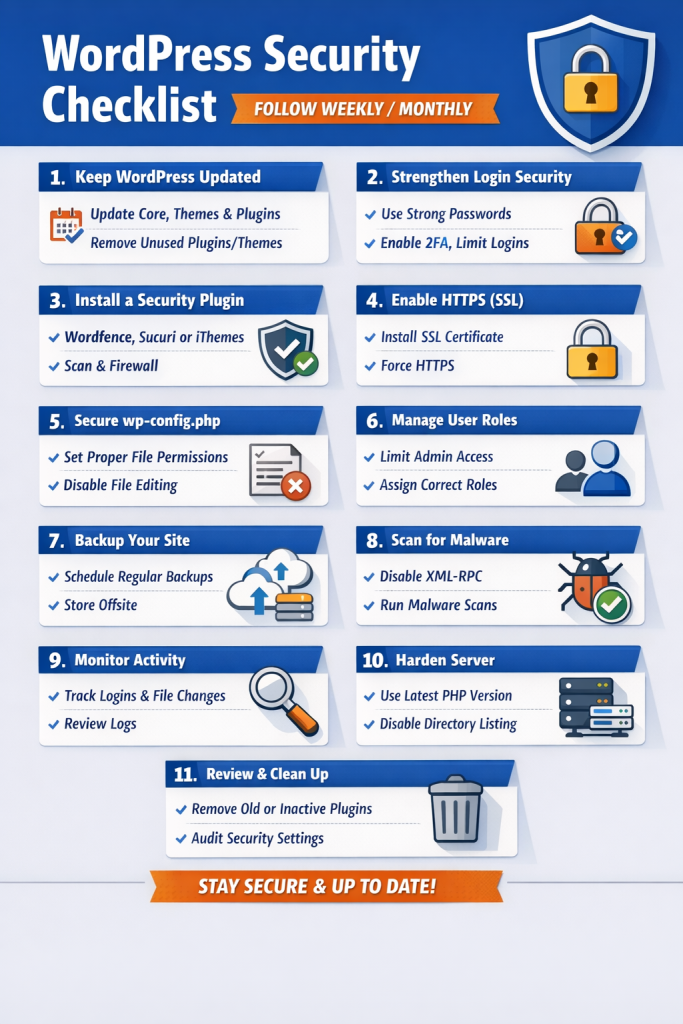
1. Keep WordPress Updated
- Always use the latest WordPress core version.
- Update themes and plugins regularly.
- Delete unused themes/plugins to reduce attack surface.
2. Use Strong Login Security
- Use strong, unique passwords for all accounts.
- Change the default admin username if it’s
admin. - Limit login attempts to prevent brute-force attacks.
- Enable two-factor authentication (2FA).
- Consider using a password manager for complex passwords.
3. Install a Security Plugin
Popular plugins include:
- Wordfence Security
- iThemes Security
- Sucuri Security
They help with:
- Malware scanning
- Firewall protection
- Login attempt monitoring
4. Protect Your Website with HTTPS
- Install an SSL certificate.
- Ensure all traffic is redirected to HTTPS.
- SSL encrypts data between your server and visitors.
5. Secure wp-config.php
- Move
wp-config.phpoutside the public root if possible. - Set proper file permissions:
wp-config.php→400or440- Directories →
755 - Files →
644
- Disable file editing from the dashboard:
define('DISALLOW_FILE_EDIT', true);
6. Limit Access and Permissions
- Only give users the permissions they need.
- Avoid using the admin account for everyday tasks.
- Use roles wisely.
7. Backup Regularly
- Use automated backup solutions like:
- UpdraftPlus
- BackupBuddy
- Jetpack Backup
- Keep backups offsite (cloud storage, remote server).
8. Protect Against Malware & Vulnerabilities
- Disable XML-RPC if not needed (prevents brute-force attacks).
- Install a firewall (plugin-based or server-level like Cloudflare/WAF).
- Scan regularly for malware.
9. Monitor Your Site
- Check for suspicious logins.
- Monitor file changes (Wordfence can do this).
- Use server logs to track unusual activity.
10. Harden the Server
- Use latest PHP version (WordPress recommends PHP 8.2+).
- Disable directory browsing:
Options -Indexes
- Protect
.htaccess:
<Files .htaccess>
Order Allow,Deny
Deny from all
</Files>
- Use a secure hosting provider that handles security patches.
11. Other Tips
- Rename the login page (
/wp-admin→ custom URL) with a plugin. - Disable PHP execution in uploads folder:
<Files *.php>
deny from all
</Files>
- Regularly review your plugins – remove outdated or poorly rated ones.